


Time has become one of our most valuable resources. In today’s fast-paced world, the ability to manage tasks effectively can be the difference between thriving and burning out. Productivity is no longer just about working harder; it’s about working smarter. This is where productivity apps step in. These digital tools are designed to help you streamline daily tasks, reduce distractions, and optimize how you spend your time.
The challenge, however, is that the market is flooded with apps promising to make your life easier. From task managers and scheduling tools to focus trackers and AI-powered assistants, there are thousands of options. Choosing the right ones can feel overwhelming. That’s why this guide narrows it down to five proven productivity apps that can save you hours every single week.
Whether you’re a student trying to juggle classes and projects, a professional balancing meetings and deadlines, or even a parent managing household responsibilities, these apps can transform how you approach your day. More importantly, they’re not just tools—they’re systems that, when used consistently, help create long-lasting productivity habits.
Let’s dive into the five apps that stand out in 2025 and explore exactly how they can revolutionize the way you work.
1. Todoist – Your Ultimate Task Manager
One of the most powerful productivity apps today is Todoist. It’s more than just a digital to-do list; it’s a full-fledged task management system.
- Features that save time:
- Create projects and sub-tasks.
- Set recurring reminders for daily or weekly tasks.
- Prioritize tasks with labels and filters.
- Integrates with Google Calendar, Outlook, and Slack.
Imagine you’re managing a complex work project. With Todoist, you can break it into milestones, assign deadlines, and check progress at a glance. It prevents tasks from slipping through the cracks, ensuring that everything has its place.
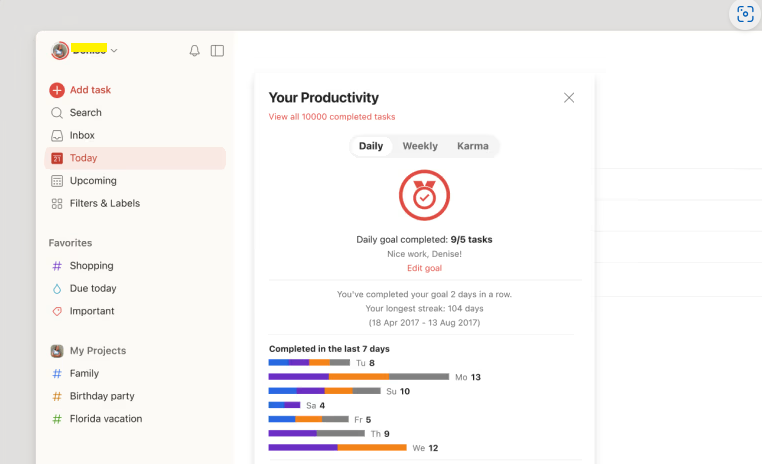
Real-world example: A freelancer working with three different clients can set up separate projects in Todoist. Each project includes sub-tasks like “send invoice,” “submit draft,” or “client call.” With reminders, nothing is ever forgotten, and hours are saved from searching through emails or notes.
Pro Tip: Use Todoist’s “Quick Add” feature. Simply type: “Submit report every Monday at 9am #Work” and it automatically creates a recurring task with a deadline.
Try Todoist today — click here

2. Notion – The All-in-One Workspace
If productivity apps were superheroes, Notion would be the all-rounder. It combines note-taking, databases, task management, and collaboration into one platform.
- Key strengths:
- Build personalized dashboards.
- Keep meeting notes, project plans, and tasks in one place.
- Share pages with your team for seamless collaboration.
- Supports templates for quick setup.
Many professionals spend hours switching between apps—Google Docs for notes, Trello for projects, and Evernote for ideas. With Notion, you can consolidate everything in a single workspace.
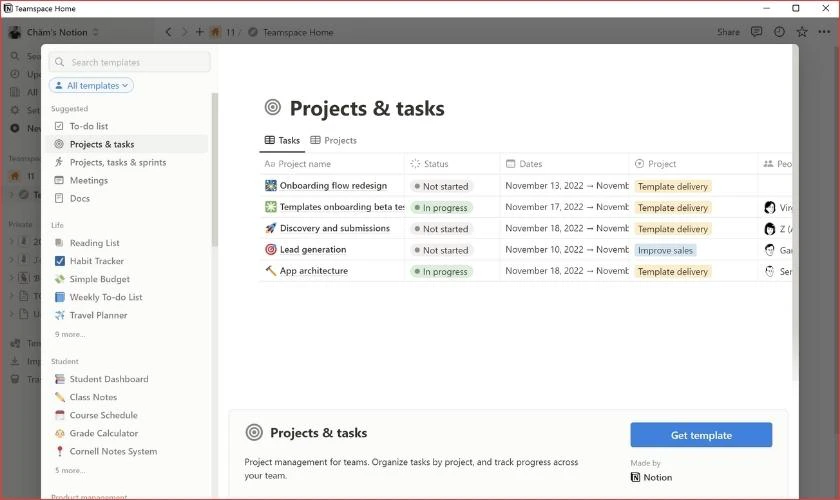
Scenario: A content creator can manage an entire workflow in Notion. Ideas are captured in a database, scripts are drafted in notes, deadlines are tracked with a calendar, and progress is visible in a Kanban board. That’s at least 3–5 hours saved each week.
Pro Tip: Explore Notion’s ready-made templates. For example, the “Content Calendar” template helps bloggers and marketers plan weeks of content in minutes.
Try Notion today — click here

As productivity tools evolve alongside cutting-edge technology, even devices like AR vs VR Glasses: The 2025 Guide to Choosing Right are reshaping how we work, learn, and collaborate in 2025.
3. Forest – Stay Focused, Fight Distractions
Distractions are one of the biggest productivity killers. Whether it’s scrolling through social media or answering unnecessary messages, we lose valuable time without realizing it. That’s where Forest comes in.
Forest gamifies focus. When you want to concentrate, you plant a virtual tree in the app. The tree grows as long as you stay focused. Leave the app, and the tree withers. Over time, you build a forest that represents your focused work sessions.
- Why it works:
- Uses psychology to encourage focus.
- Tracks daily, weekly, and monthly productivity.
- Even contributes to planting real trees with partner organizations.
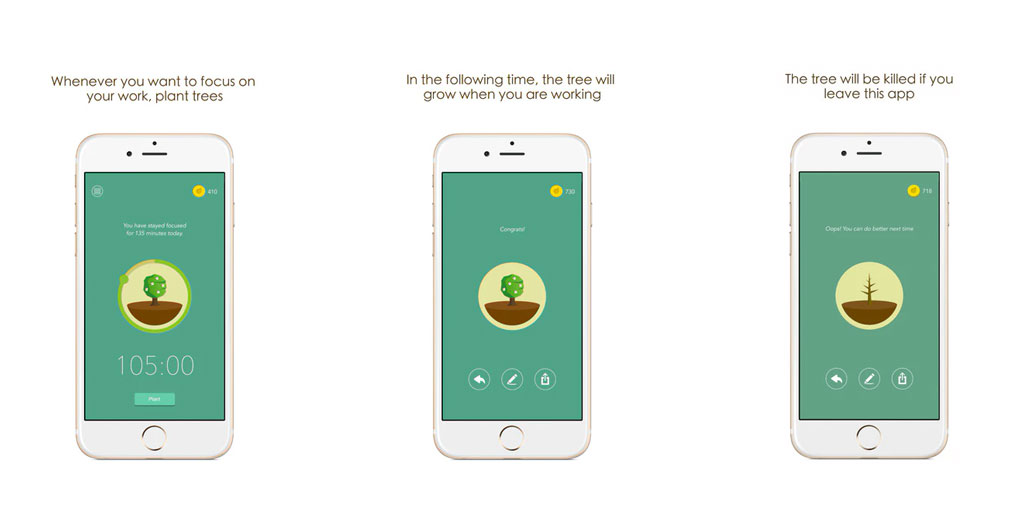
Scenario: A student preparing for exams sets 25-minute focus sessions with Forest. During this time, the phone is off-limits, making study sessions distraction-free. By repeating the cycle, the student studies for 4–5 productive hours a day.
Pro Tip: Pair Forest with the Pomodoro Technique—25 minutes of work followed by a 5-minute break. This helps maintain energy while building focus.
Try Forest today — click here

4. Trello – Organize Projects Visually
Visual learners often find it easier to manage tasks when they can see progress. Trello is perfect for that. It uses boards, lists, and cards to organize projects in a simple yet powerful way.
- Features that boost efficiency:
- Drag-and-drop task management.
- Assign tasks to team members.
- Add checklists, deadlines, and attachments.
- Integrates with Google Drive, Slack, and other tools.
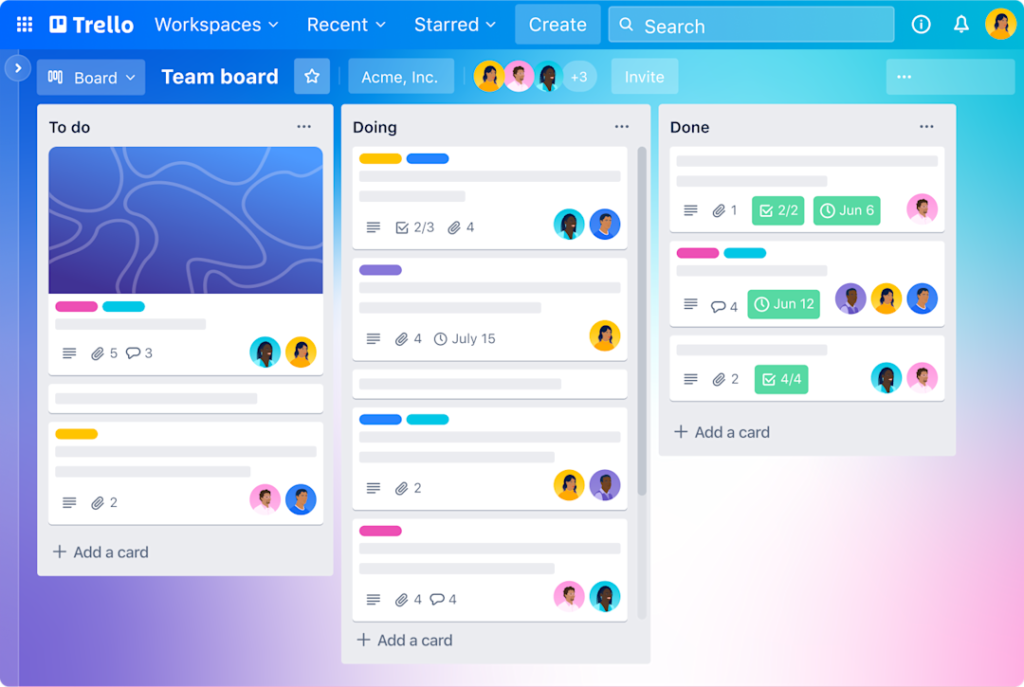
Scenario: A startup team is developing a new app. They create a Trello board with columns like “Ideas,” “In Progress,” “Testing,” and “Completed.” Each card moves across columns as tasks progress. This visual workflow saves hours wasted in back-and-forth emails and keeps everyone aligned.
Pro Tip: Use Trello’s Power-Ups to enhance boards. For instance, add a calendar view to see deadlines at a glance or integrate with Slack for instant updates.
Try Trello today — click here

Smart apps combined with smart gadgets can transform daily life. If you’re curious about the best tech for your home, explore our list of the Top 15 Smart Home Devices You Should Own in 2025.
5. Evernote – Capture Ideas Anywhere
Sometimes productivity isn’t about tasks or deadlines. It’s about capturing thoughts, inspirations, and notes before they vanish. That’s where Evernote shines.
- Core strengths:
- Save notes, voice memos, and web clippings.
- Sync across devices instantly.
- Organize notes with tags and notebooks.
- Search handwritten notes and images.
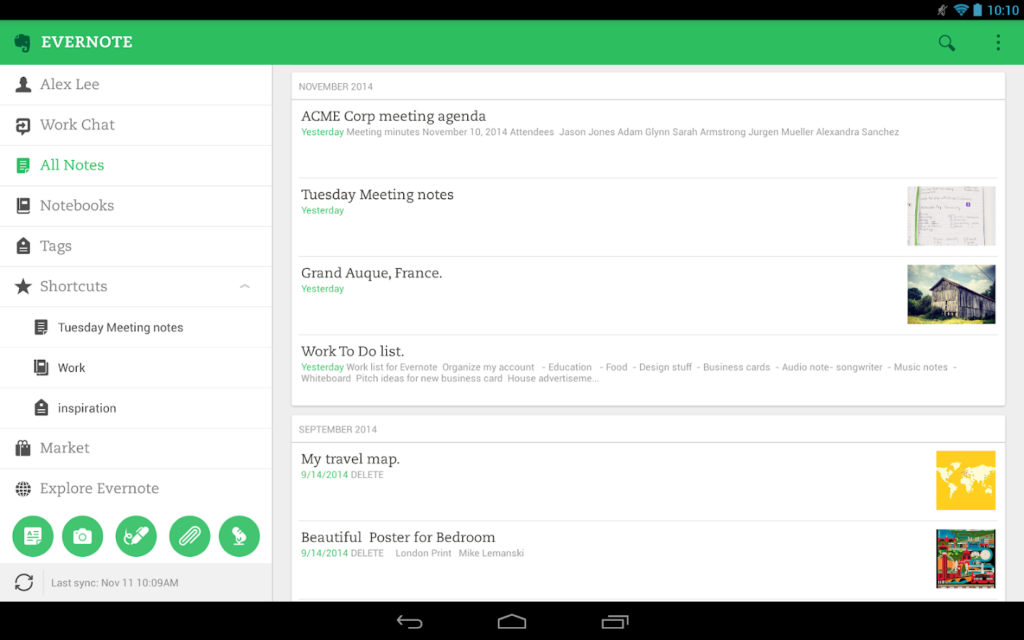
Scenario: A journalist on the go can jot down ideas, record voice notes, or clip online articles directly into Evernote. Later, all this information is searchable and ready for use. Without it, hours might be wasted trying to recall or locate details.
Pro Tip: Use the web clipper browser extension. When you find a useful article or statistic, save it directly into Evernote for future reference.
Try Evernote today — click here

Bonus Apps Worth Exploring
While these five apps stand out, here are a few honorable mentions that also save time:
- Slack – For faster team communication.
- RescueTime – For tracking how you spend your day.
- Google Keep – For quick note-taking on the fly.
- Asana – For managing larger, complex projects.
How to Choose the Right Productivity App
Not every app suits every person. To choose wisely:
- Identify your biggest productivity challenge (distractions, organization, collaboration).
- Try free versions before committing.
- Stick with one or two apps consistently instead of juggling many.
Remember, apps are tools. They won’t replace discipline, but they can support it.
Conclusion: Take Control of Your Time
Productivity apps are not just trendy gadgets; they are essential allies in navigating modern life. From managing tasks with Todoist to staying distraction-free with Forest, these tools can save you several hours every week. By using them wisely, you not only become more efficient but also reduce stress and free up time for what truly matters.
Now it’s your turn. Pick one app from this list, download it today, and commit to using it for the next week. You’ll be surprised at how much time you reclaim.
Call to Action: Ready to boost your productivity? Start with one of these apps now and watch your efficiency soar.
